

How to manage a plan
Managing your ProofHub subscription plan is straightforward and allows you to adjust your billing cycle and choose the plan that best fits your needs.
Manage plan
Section titled “Manage plan”-
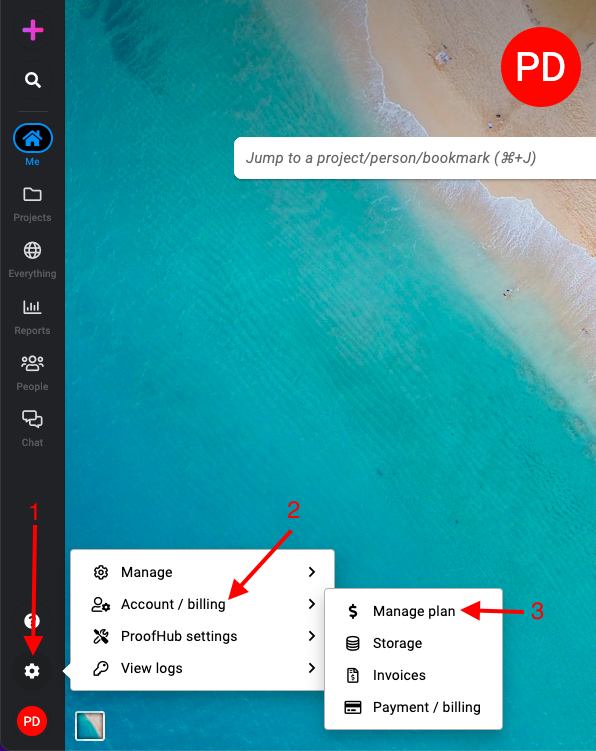
Manage section: Select the “Account/billing” section and select “Manage plan“.
-
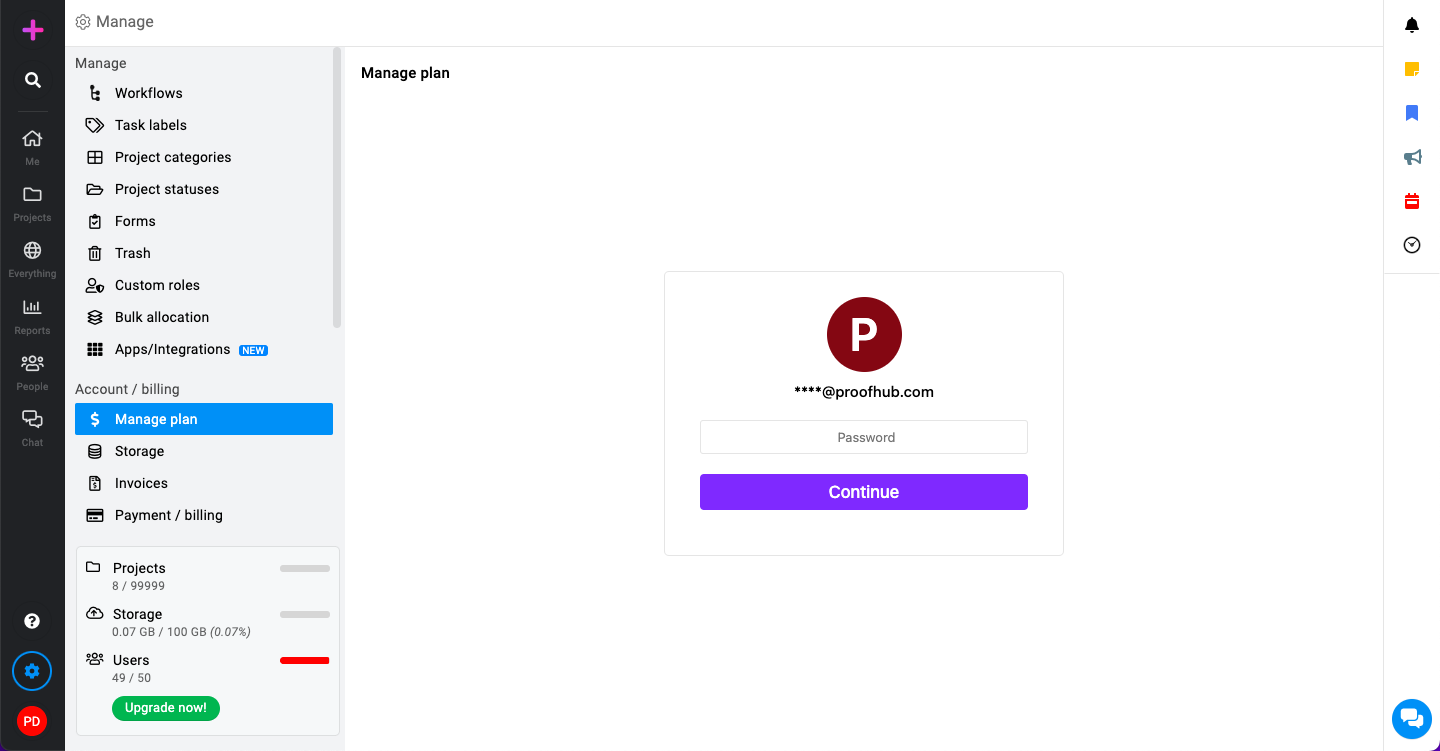
Authentication required: Type in your current password to proceed.
-
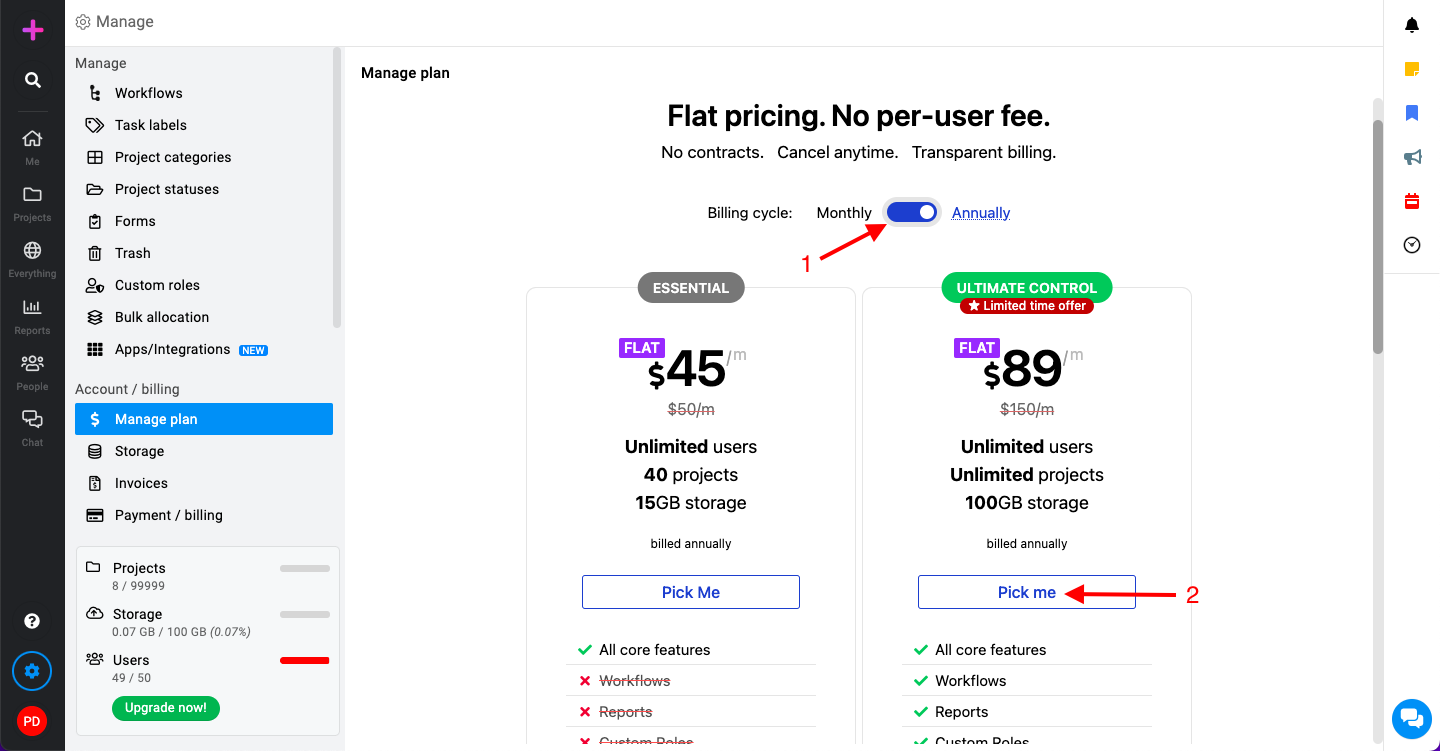
Selecting your billing cycle: You will be given two options for the billing cycle: Monthly or Annually.
-
Click on “Pick me” to proceed further.
Storage
Section titled “Storage”ProofHub offers cloud storage for your projects, allowing you to:
-
Centralize files: Store all project-related documents, imgs, and videos in one place, accessible to your team.
-
Easy collaboration: Team members can upload, share, and collaborate on files directly within ProofHub, eliminating the need for scattered storage solutions.
-
Version control: Track changes made to files and revert to previous versions if needed.
This centralized storage streamlines project communication and keeps everything organized for your team.
-
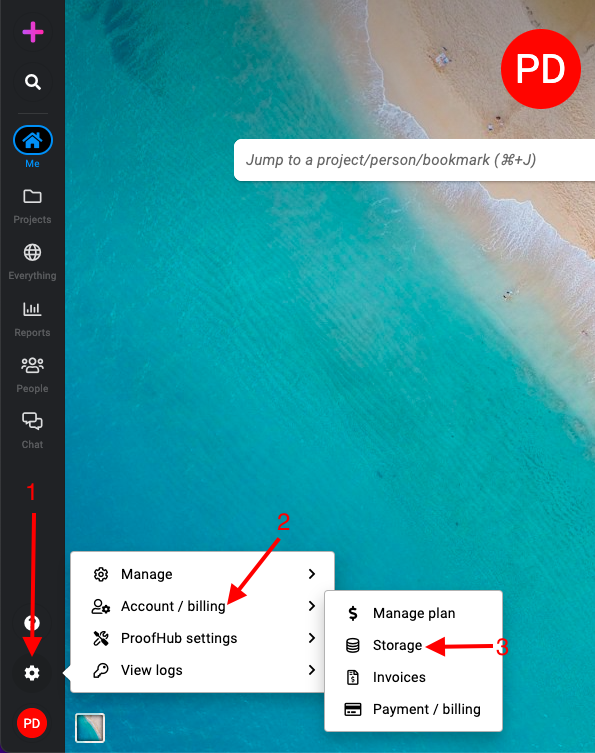
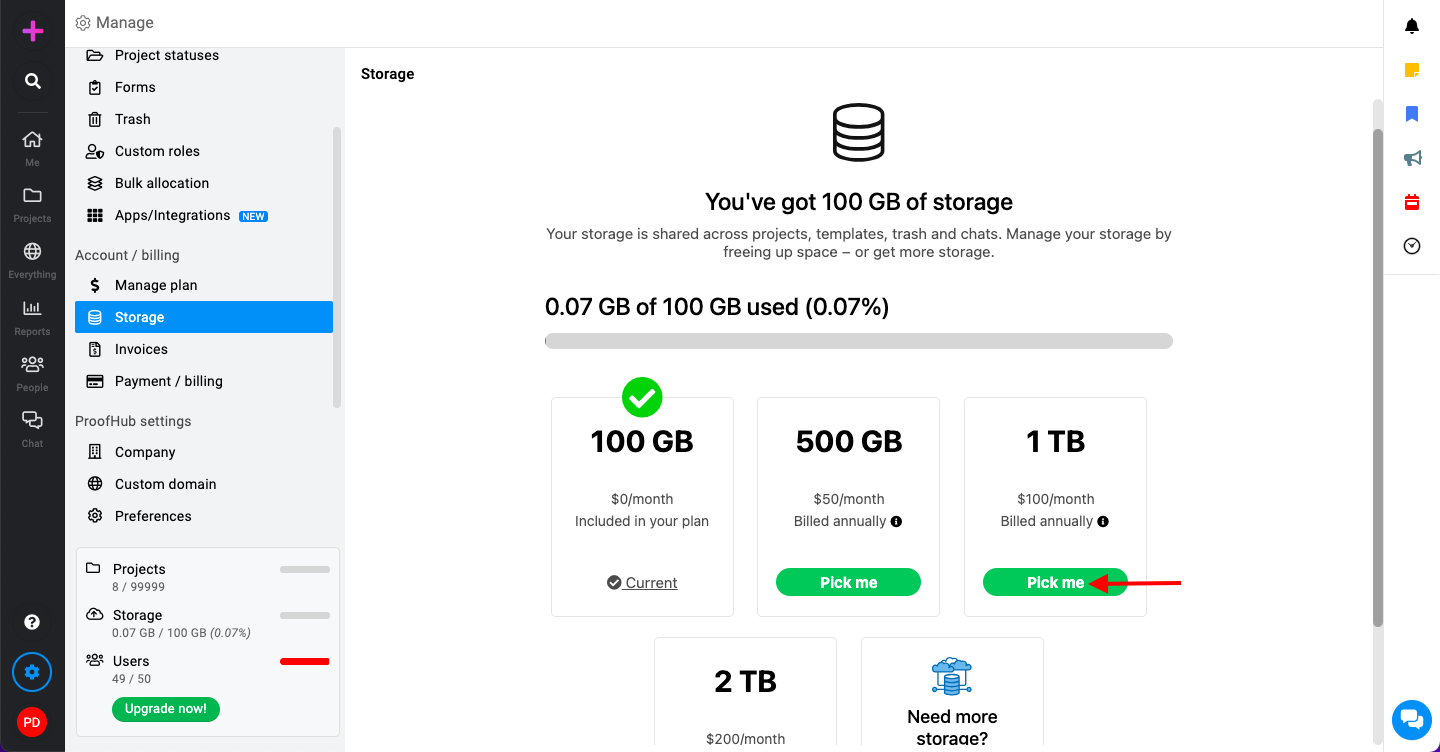
Manage section: Select the “Account/billing” section and select “Storage“.
-
Review available storage options: You will see a list of available storage capacities with different pricing.
Invoices
Section titled “Invoices”-
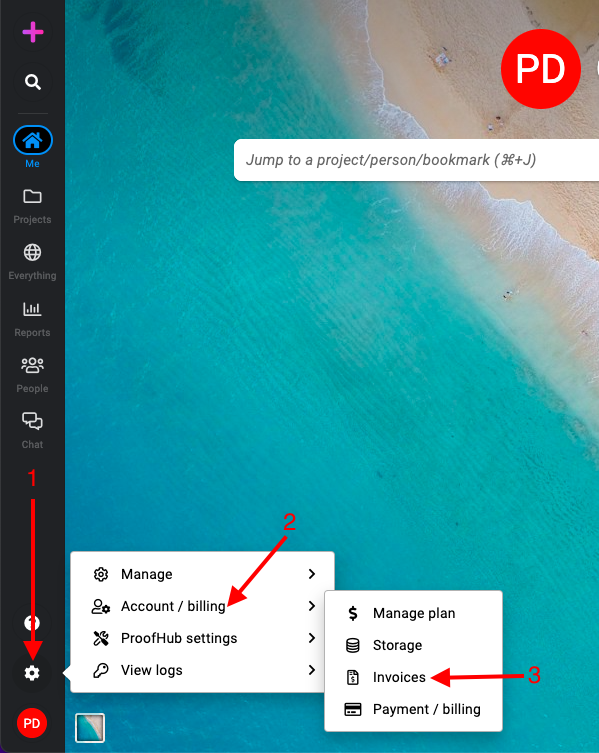
Manage section: Select the “Account/billing” section and select “Invoices“.
-
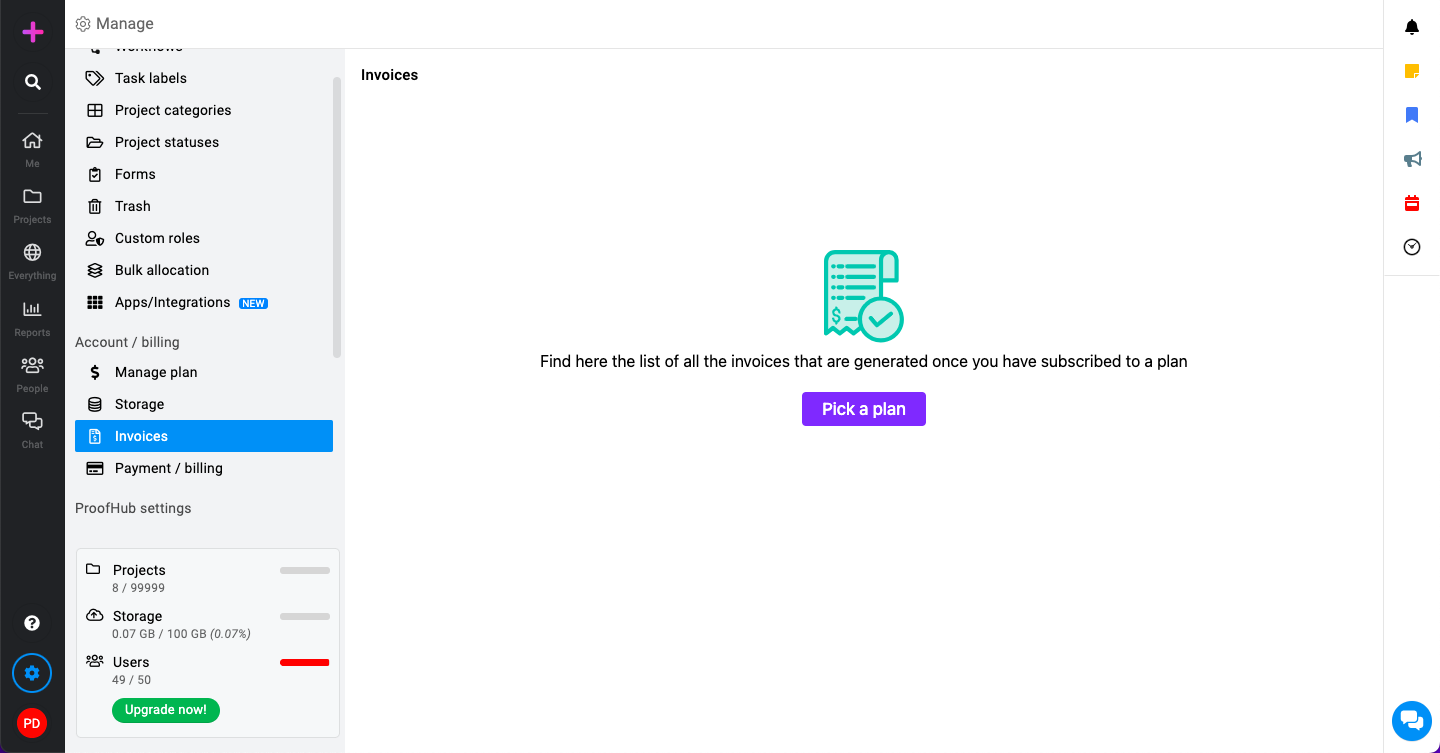
View or download invoices: Click on the invoice you want to view. You can then download it for your records.
Payment and billing
Section titled “Payment and billing”-
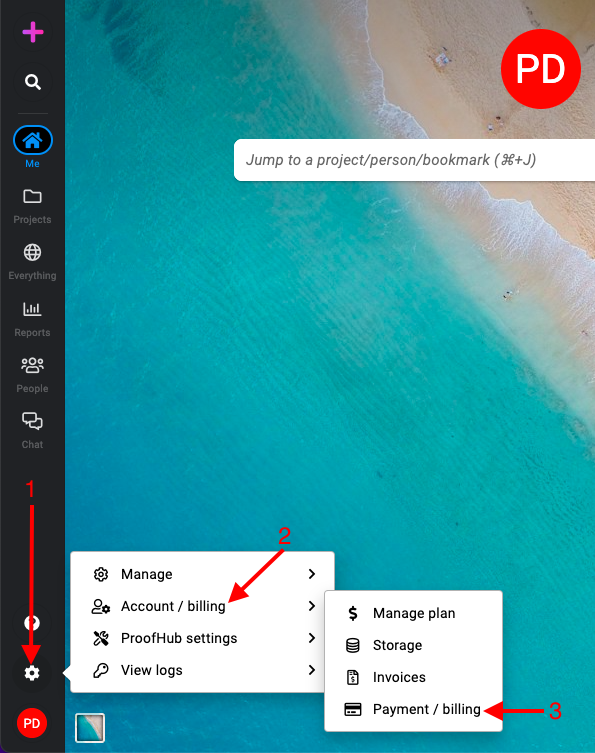
Manage section: Select the “Account/billing” section and select “Payment/billing“.
-
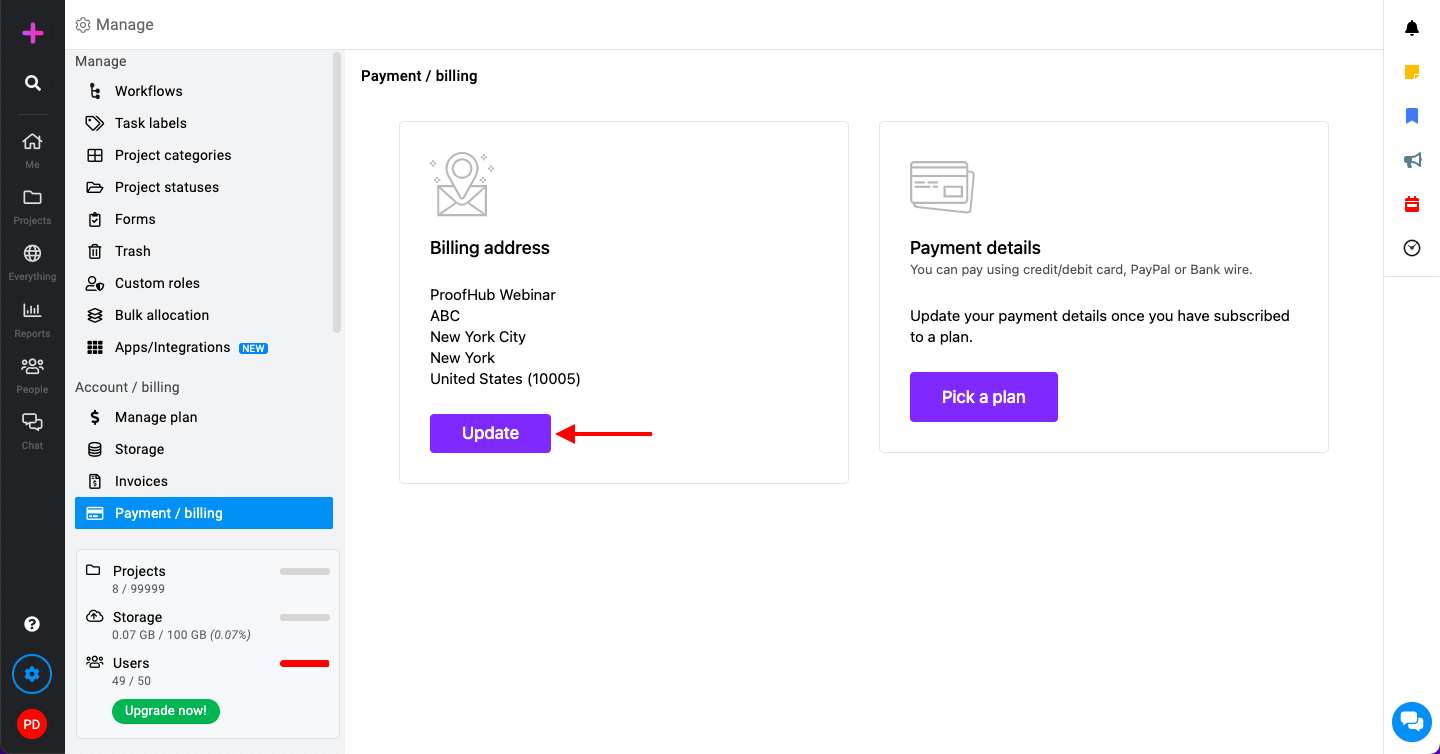
Managing billing address:
-
Click on the “Update” button next to the billing address section.
-
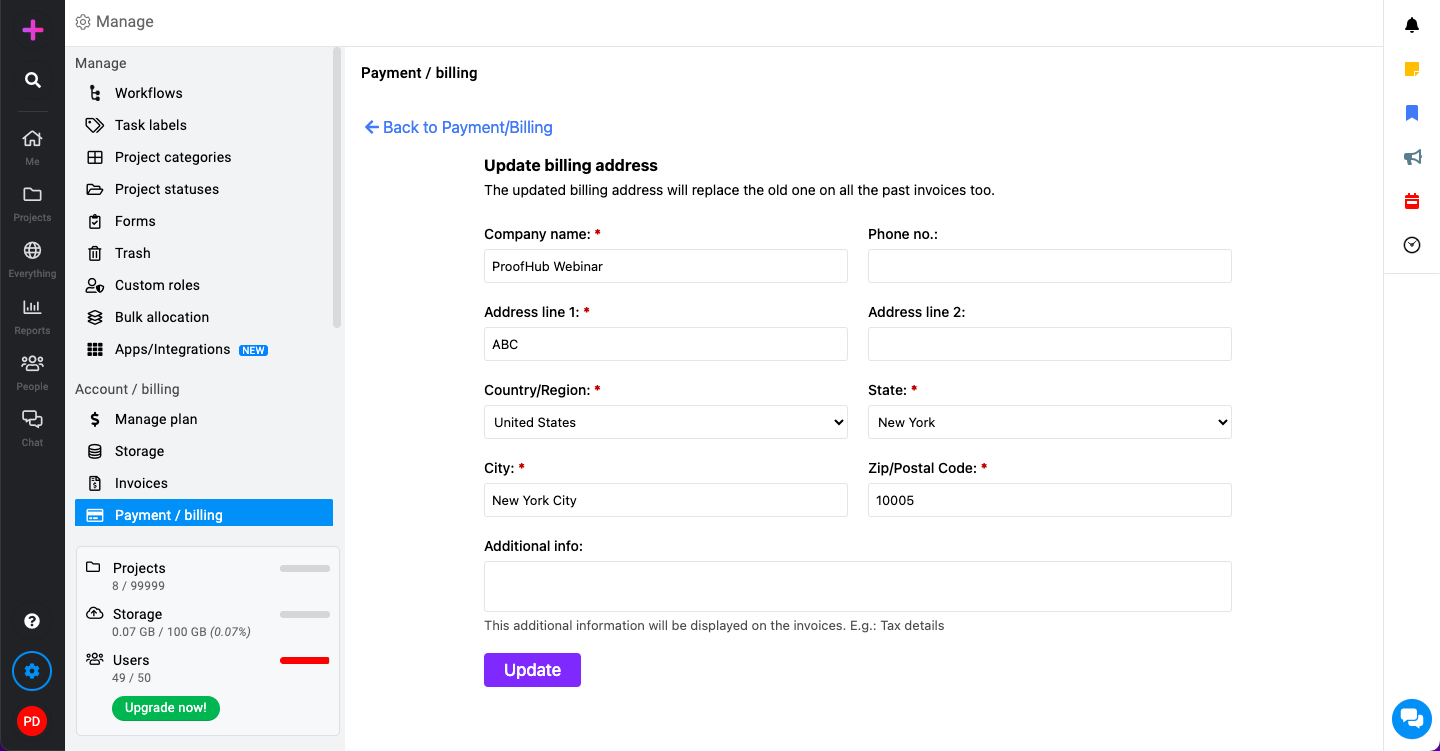
Fill in the required billing address details, including street address, city, state, postal code, and country.
-
Click on the “Update” button to save your new billing address.
-
-
Managing payment details:

Ensure your billing address is up-to-date and correctly entered.

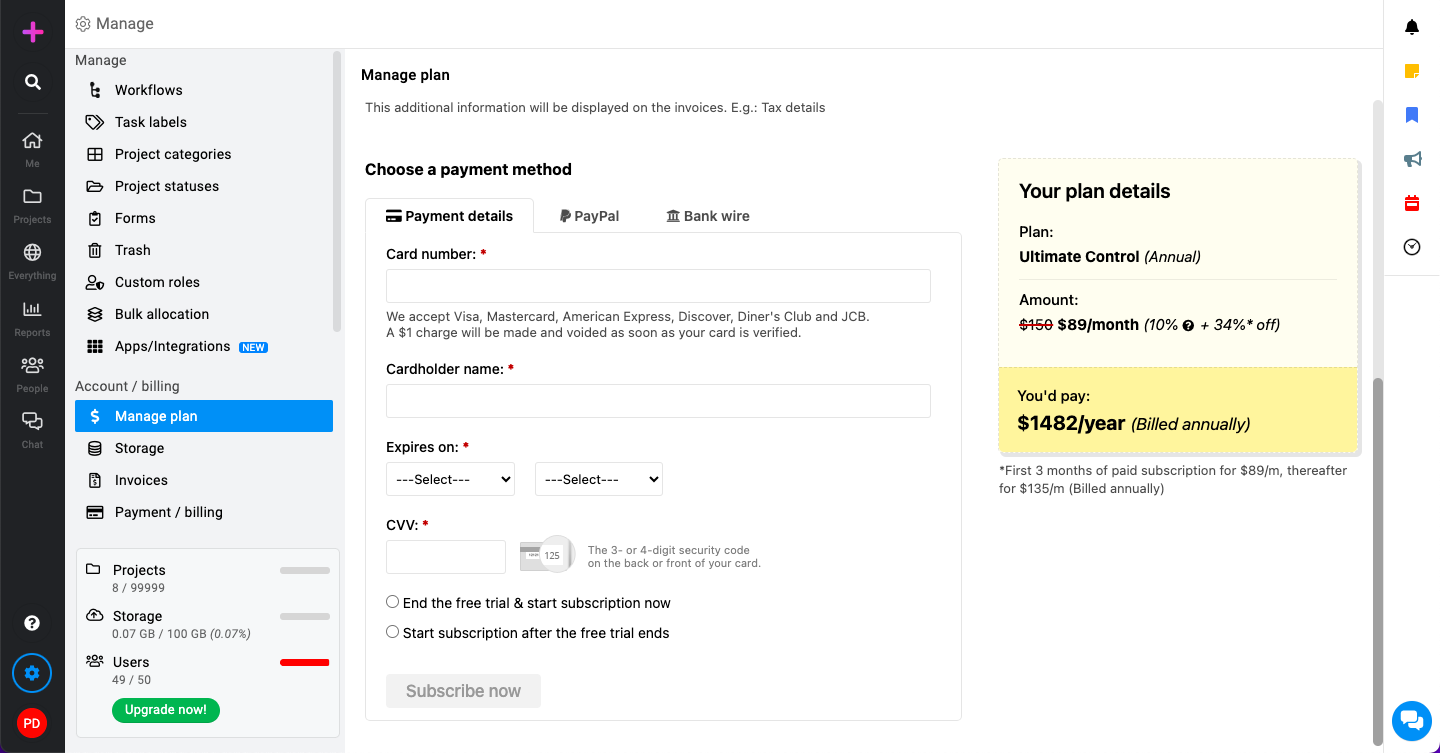
Select your preferred payment method from the available options:
-
Subscription start option:
-
End the free trial & start subscription now: This option will immediately start your paid subscription.
-
Start subscription after the free trial ends: This option will start your subscription once your free trial period is over.
-
-
-
Click on the “Subscribe now” button to start your subscription.