

Import projects from Asana
Already using Asana? Try ProofHub with your existing data!
ProofHub offers the ability to import your projects directly from Asana. If you’re already a user of Asana with existing projects, our import feature enables you to migrate people, projects, tasks, files, and more seamlessly. Here’s how it works:
-
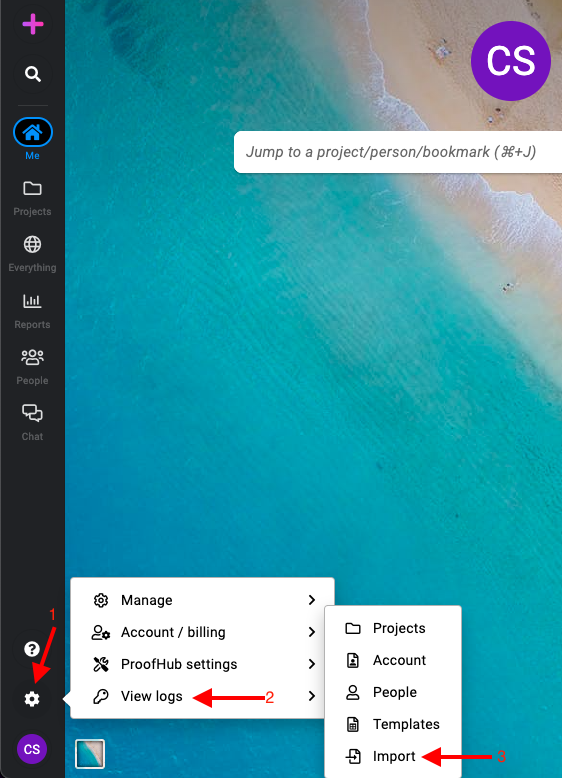
Navigate to the manage section: Click on the gear icon on the left side. Select “View logs > Import”.
-
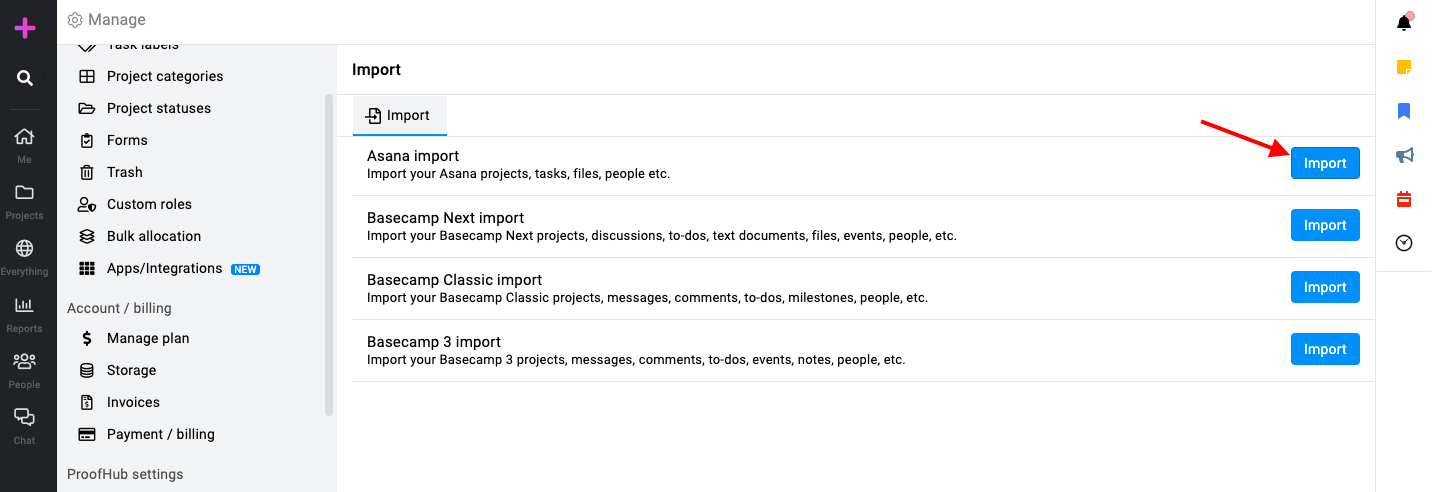
Import from Asana: Click on the “Import” button in front of the Asana option and log into your Asana account.
-
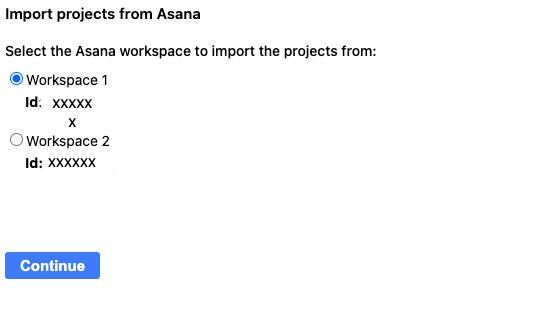
Select workspace: Select the workspace from where you want to import the projects.
-
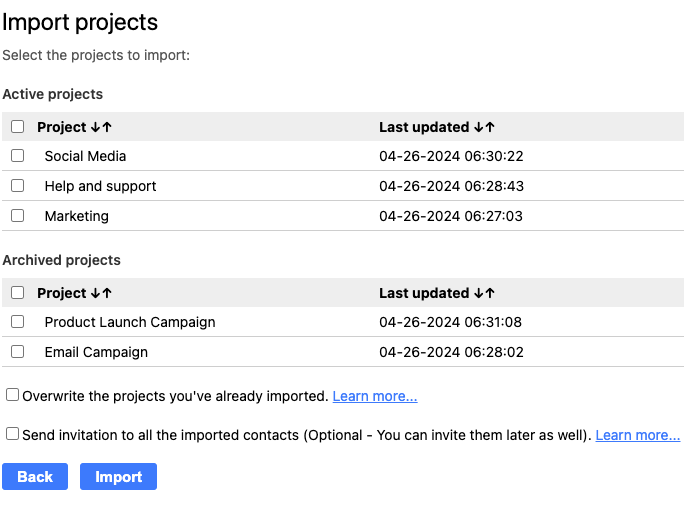
Select projects: Select all or multiple projects to be imported.
-
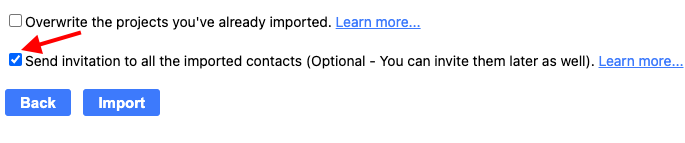
Invite people: You can send invitations to people while importing projects to ProofHub by “Send invitation to all imported contacts”.
-
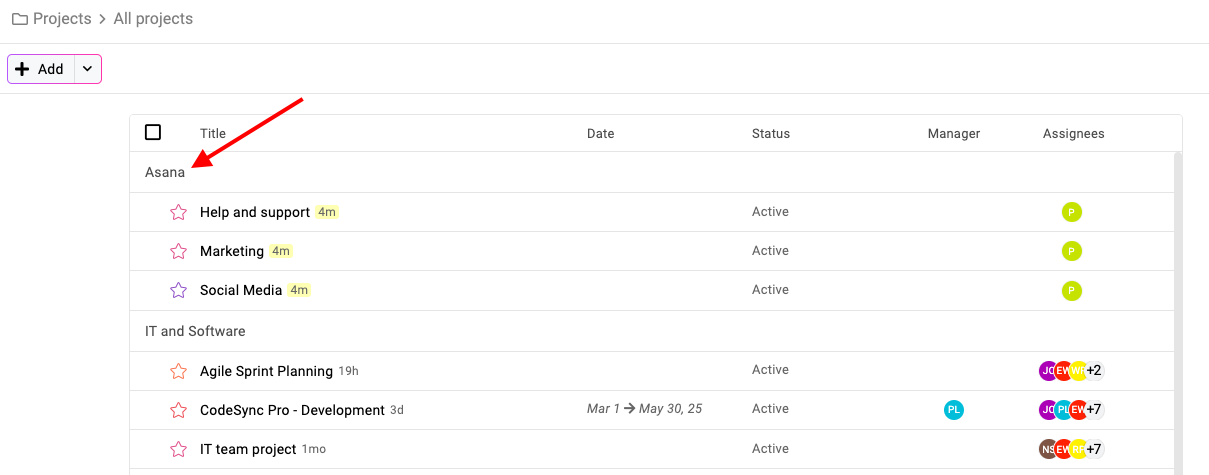
All the projects will be imported into a default project category called “Asana” and all the people will be imported into a group with the same name as in Asana.
Once the import is done, you’ll receive an email notification of the confirmation of import.
Note: All the imported tasks will come up in the very first stage of the selected workflow.